<!DOCTYPE html>
    <html lang="vi" xmlns="http://www.w3.org/1999/xhtml" prefix="og: http://ogp.me/ns#">
    <head>
<title>Tổng hợp chuyển hướng bằng .htaccess</title>
<meta name="description" content="Tổng hợp chuyển hướng bằng .htaccess - Savefile - Blog - https&#x3A;&#x002F;&#x002F;tocdoviet.com&#x002F;blog&#x002F;savefile&#x002F;Tai-lieu-SEO&#x002F;tong-hop-chuyen-huong-bang-htaccess-298.html">
<meta name="author" content="Tốc Độ Việt - Dịch vụ Hosting, Tên miền, Máy chủ, Thiết kế Website">
<meta name="copyright" content="Tốc Độ Việt - Dịch vụ Hosting, Tên miền, Máy chủ, Thiết kế Website [loc.thb@bazan.vn]">
<meta name="generator" content="NukeViet v4.5">
<meta name="viewport" content="width=device-width, initial-scale=1">
<meta http-equiv="Content-Type" content="text/html; charset=utf-8">
<meta property="og:title" content="Tổng hợp chuyển hướng bằng .htaccess">
<meta property="og:type" content="website">
<meta property="og:description" content="Savefile - Blog - https&#x3A;&#x002F;&#x002F;tocdoviet.com&#x002F;blog&#x002F;savefile&#x002F;Tai-lieu-SEO&#x002F;tong-hop-chuyen-huong-bang-htaccess-298.html">
<meta property="og:site_name" content="Tốc Độ Việt - Dịch vụ Hosting, Tên miền, Máy chủ, Thiết kế Website">
<meta property="og:url" content="https://tocdoviet.com/blog/savefile/Tai-lieu-SEO/tong-hop-chuyen-huong-bang-htaccess-298.html">
<link rel="shortcut icon" href="https://tocdoviet.com/favicon.ico">
<link rel="canonical" href="https://tocdoviet.com/blog/savefile/Tai-lieu-SEO/tong-hop-chuyen-huong-bang-htaccess-298.html">
<link rel="alternate" href="https://tocdoviet.com/blog/rss/" title="Blog" type="application/rss+xml">
<link rel="alternate" href="https://tocdoviet.com/blog/rss/Cau-hoi-thuong-gap/" title="Blog - Câu hỏi thường gặp" type="application/rss+xml">
<link rel="alternate" href="https://tocdoviet.com/blog/rss/Tai-lieu-Ten-Mien/" title="Blog - Tài liệu Tên Miền" type="application/rss+xml">
<link rel="alternate" href="https://tocdoviet.com/blog/rss/Tai-lieu-Hosting/" title="Blog - Tài liệu Hosting" type="application/rss+xml">
<link rel="alternate" href="https://tocdoviet.com/blog/rss/Tai-lieu-May-Chu/" title="Blog - Tài liệu Máy Chủ" type="application/rss+xml">
<link rel="alternate" href="https://tocdoviet.com/blog/rss/Tai-lieu-Ma-Nguon/" title="Blog - Tài liệu Mã Nguồn" type="application/rss+xml">
<link rel="alternate" href="https://tocdoviet.com/blog/rss/Tai-lieu-SEO/" title="Blog - Tài liệu SEO" type="application/rss+xml">
<link rel="alternate" href="https://tocdoviet.com/blog/rss/Tai-lieu-Website/" title="Blog - Tài liệu Website" type="application/rss+xml">
<link rel="alternate" href="https://tocdoviet.com/blog/rss/Tai-lieu-Phan-Mem/" title="Blog - Tài liệu Phần Mềm" type="application/rss+xml">
<link rel="alternate" href="https://tocdoviet.com/blog/rss/Tai-lieu-May-Tinh/" title="Blog - Tài liệu Máy Tính" type="application/rss+xml">
<link rel="preload" as="style" href="https://tocdoviet.com/assets/css/font-awesome.min.css" type="text/css">
<link rel="preload" as="style" href="https://tocdoviet.com/themes/default/css/bootstrap.min.css" type="text/css">
<link rel="preload" as="style" href="https://tocdoviet.com/themes/default/css/style.css" type="text/css">
<link rel="preload" as="style" href="https://tocdoviet.com/themes/default/css/style.responsive.css" type="text/css">
<link rel="preload" as="style" href="https://tocdoviet.com/themes/default/css/news.css" type="text/css">
<link rel="preload" as="style" href="https://tocdoviet.com/themes/default/css/custom.css" type="text/css">
<link rel="preload" as="script" href="https://tocdoviet.com/assets/js/jquery/jquery.min.js" type="text/javascript">
<link rel="preload" as="script" href="https://tocdoviet.com/assets/js/language/vi.js" type="text/javascript">
<link rel="preload" as="script" href="https://tocdoviet.com/assets/js/DOMPurify/purify3.js" type="text/javascript">
<link rel="preload" as="script" href="https://tocdoviet.com/assets/js/global.js" type="text/javascript">
<link rel="preload" as="script" href="https://tocdoviet.com/assets/js/site.js" type="text/javascript">
<link rel="preload" as="script" href="https://tocdoviet.com/themes/default/js/news.js" type="text/javascript">
<link rel="preload" as="script" href="https://tocdoviet.com/themes/default/js/main.js" type="text/javascript">
<link rel="preload" as="script" href="https://tocdoviet.com/themes/default/js/custom.js" type="text/javascript">
<link rel="preload" as="script" href="https://tocdoviet.com/themes/default/js/bootstrap.min.js" type="text/javascript">
<link rel="stylesheet" href="https://tocdoviet.com/assets/css/font-awesome.min.css">
<link rel="stylesheet" href="https://tocdoviet.com/themes/default/css/bootstrap.min.css">
<link rel="stylesheet" href="https://tocdoviet.com/themes/default/css/style.css">
<link rel="stylesheet" href="https://tocdoviet.com/themes/default/css/style.responsive.css">
<link rel="StyleSheet" href="https://tocdoviet.com/themes/default/css/news.css">
<link rel="stylesheet" href="https://tocdoviet.com/themes/default/css/custom.css">
<style>
#gom-all-in-one{margin-bottom: 150px;}
@-webkit-keyframes phone-vr-circle-fill {
0% {-webkit-transform: rotate(0) scale(1) skew(1deg); }
10% {-webkit-transform: rotate(-25deg) scale(1) skew(1deg);}
20% {-webkit-transform: rotate(25deg) scale(1) skew(1deg);}
30% {-webkit-transform: rotate(-25deg) scale(1) skew(1deg);}
40% {-webkit-transform: rotate(25deg) scale(1) skew(1deg);}
50% {-webkit-transform: rotate(0) scale(1) skew(1deg);}
100% {-webkit-transform: rotate(0) scale(1) skew(1deg);}
}
@-webkit-keyframes zoom{0%{transform:scale(.9)}70%{transform:scale(1);box-shadow:0 0 0 15px transparent}100%{transform:scale(.9);box-shadow:0 0 0 0 transparent}}@keyframes zoom{0%{transform:scale(.9)}70%{transform:scale(1);box-shadow:0 0 0 15px transparent}100%{transform:scale(.9);box-shadow:0 0 0 0 transparent}}
#button-contact-vr{right:0}
.phone-bar a{
left:auto;right:30px;padding:8px 55px 7px 15px
}
#button-contact-vr.active #gom-all-in-one .button-contact
{
margin-left:100%
}
#button-contact-vr{bottom:30%}
#gom-all-in-one #zalo-vr {
transition: 1s all;
-moz-transition: 1s all;
-webkit-transition: 1s all;
}
#zalo-vr .phone-vr-circle-fill {
box-shadow: 0 0 0 0 #2196f3;
background-color: rgba(33,150,243,.7);
}
.phone-vr-circle-fill {
width: 65px;
height: 65px;
top: 12px;
left: 12px;
position: absolute;
box-shadow: 0 0 0 0 #c31d1d;
background-color: rgba(230,8,8,.7);
border-radius: 50%;
border: 2px solid transparent;
-webkit-animation: phone-vr-circle-fill 2.3s infinite ease-in-out;
animation: phone-vr-circle-fill 2.3s infinite ease-in-out;
transition: all .5s;
-webkit-transform-origin: 50% 50%;
-ms-transform-origin: 50% 50%;
transform-origin: 50% 50%;
-webkit-animuiion: zoom 1.3s infinite;
animation: zoom 1.3s infinite;
}
.phone-vr-img-circle a {
display: block;
line-height: 37px;
}
.phone-vr-img-circle img {
max-height: 25px;
max-width: 27px;
position: absolute;
top: 50%;
left: 50%;
transform: translate(-50%,-50%);
-moz-transform: translate(-50%,-50%);
-webkit-transform: translate(-50%,-50%);
-o-transform: translate(-50%,-50%);
}
#zalo-vr .phone-vr-img-circle {
background-color: #2196f3;
}
.phone-vr-img-circle {
background-color: #e60808;
width: 40px;
height: 40px;
line-height: 40px;
top: 25px;
left: 25px;
position: absolute;
border-radius: 50%;
overflow: hidden;
display: flex;
justify-content: center;
-webkit-animation: phonering-alo-circle-img-anim 1s infinite ease-in-out;
animation: phone-vr-circle-fill 1s infinite ease-in-out;
}
#button-contact-vr .button-contact .phone-vr {
position: relative;
visibility: visible;
background-color: transparent;
width: 90px;
height: 90px;
cursor: pointer;
z-index: 11;
-webkit-backface-visibility: hidden;
-webkit-transform: translateZ(0);
transition: visibility .5s;
left: 0;
bottom: 0;
display: block;
}
#gom-all-in-one #phone-vr {
transition: .7s all;
-moz-transition: .7s all;
-webkit-transition: .7s all;
}
#button-contact-vr .button-contact {
position: relative;
margin-top: 5px;
}
#phone-vr .phone-vr-circle-fill {
opacity: .7;
box-shadow: 0 0 0 0 #d33;
}
.phone-bar a, #phone-vr .phone-vr-circle-fill, #phone-vr .phone-vr-img-circle, #phone-vr .phone-bar a {
background-color: #d33;
}
#button-contact-vr {
bottom: 30%;
}
#button-contact-vr {
position: fixed;
bottom: 0;
z-index: 99999;
}
#popup-showroom-vr, div#popup-form-contact-vr {
display: none;
}
.bg-popup-vr {
position: absolute;
left: 0;
top: 0;
background: rgb(51 51 51/50%);
width: 100%;
height: 100vh;
}
@media (max-width: 673px)
div#popup-form-contact-vr .content-popup-vr {
display: block;
}
.content-popup-vr {
background: #fff;
position: absolute;
left: 50%;
top: 50%;
transform: translate(-50%,-50%);
width: 95%;
border-radius: 5px;
box-shadow: 0 0 14px 5px rgb(0 0 0/49%);
max-width: 600px;
display: flex;
}
.content-popup-vr .content-popup-div-vr {
width: 100%;
padding: 25px;
}
.content-popup-vr .close-popup-vr {
font-family: sans-serif;
width: 23px;
height: 23px;
background: #000;
position: absolute;
top: -10px;
right: -10px;
color: #fff;
text-align: center;
line-height: 23px;
font-size: 17px;
border-radius: 50%;
cursor: pointer;
}
</style>
<style type="text/css">
	body{background: #fff;}
</style>
<style type="text/css"></style>
    </head>
    <body>
<div id="print">
	<div id="hd_print">
		<h2 class="pull-left">Tốc Độ Việt - Dịch vụ Hosting, Tên miền, Máy chủ, Thiết kế Website</h2>
		<p class="pull-right"><a title="Tốc Độ Việt - Dịch vụ Hosting, Tên miền, Máy chủ, Thiết kế Website" href="https://tocdoviet.com/">https://tocdoviet.com</a></p>
	</div>
	<div class="clear"></div>
	<hr />
	<div id="content">
		<h1>Tổng hợp chuyển hướng bằng .htaccess</h1>
		<ul class="list-inline">
			<li>Thứ bảy - 30/03/2024 07:22</li>
			<li class="hidden-print txtrequired"><em class="fa fa-print">&nbsp;</em><a title="In ra" href="javascript:;" onclick="window.print()">In ra</a></li>
			<li class="hidden-print txtrequired"><em class="fa fa-power-off">&nbsp;</em><a title="Đóng cửa sổ này" href="javascript:;" onclick="window.close()">Đóng cửa sổ này</a></li>
		</ul>
		<div class="clear"></div>
		<div id="hometext">
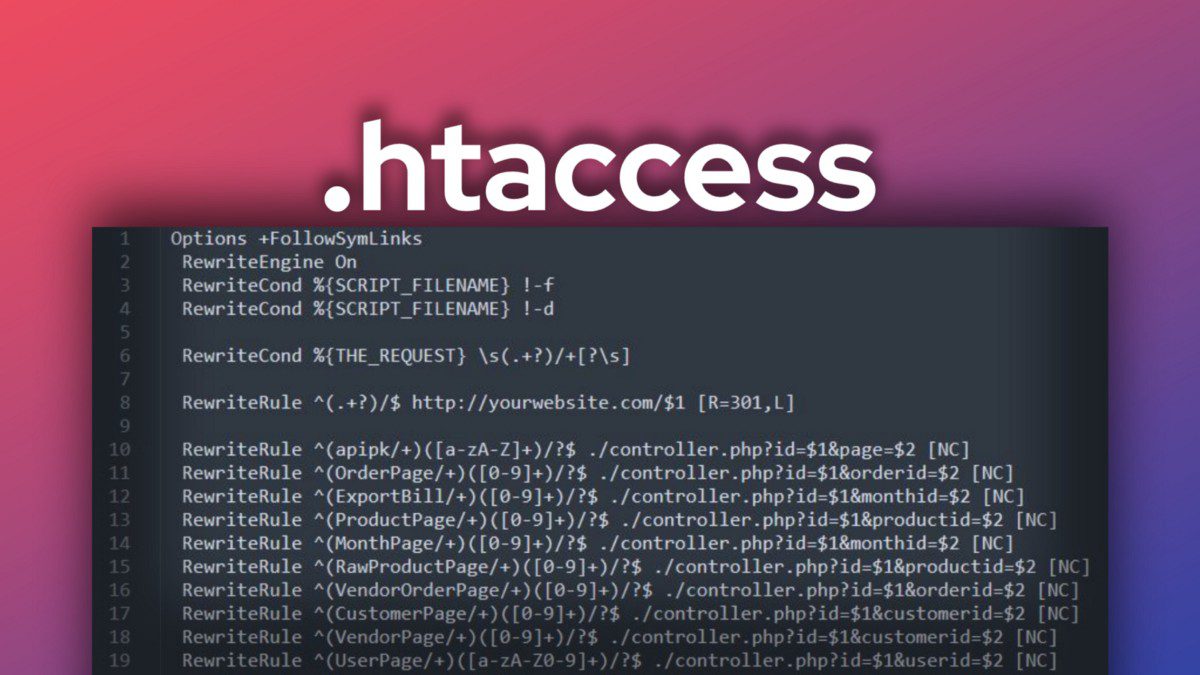
			Nếu bạn đang muốn chuyển hướng một, hoặc nhiều đường dẫn của website thì bài viết tổng hợp chuyển hướng bằng .htaccess này sẽ rất hữu ích đối với bạn.
		</div>
				<div class="imghome">
			<img alt="Tổng hợp chuyển hướng bằng .htaccess" src="https://tocdoviet.com/uploads/blog/2024/htaccess.jpeg" width="460" class="img-thumbnail" />
		</div>
		<div class="clear"></div>
		<div id="bodytext" class="clearfix">
			<p>Lưu ý:&nbsp;Nếu bạn đang sử dụng WordPress thì một số chuyển hướng sẽ không hoạt động vì mặc định WordPress sẽ sử dụng các nguyên tắc của riêng nó. Và giải pháp sử dụng WordPress đó là bạn nên sử dụng plugin&nbsp;Redirection.<br />
<br />
<strong>I. Tệp tin .htaccess là gì?</strong><br />
<br />
.htaccess&nbsp;là một tệp cấu hình để sử dụng trên các Web Server có hỗ trợ như Apache, LiteSpeed, OpenLiteSpeed ..vv..<br />
<br />
Khi tệp&nbsp;.htaccess&nbsp;được đặt trong một thư mục mã nguyồn website, thì tệp&nbsp;.htaccess&nbsp;sẽ được thực thi bởi Web server. Các tệp&nbsp;.htaccess&nbsp;này có thể được sử dụng để thay đổi cấu hình của phần mềm Web Server nhằm bật/tắt chức năng và tính năng bổ sung mà phần mềm Web Server cung cấp.<br />
<br />
<strong>II. Tổng hợp chuyển hướng bằng .htaccess</strong><br />
Các ví dụ dưới đây có thể được thêm vào tệp&nbsp;.htaccess&nbsp;tùy theo nhu cầu của bạn.&nbsp;Chỉ cần đảm bảo điều chỉnh đường dẫn thực đến tệp để tệp .htaccess biết nó nằm ở đâu.&nbsp;Ngoài ra, nếu bạn thấy tên miền&nbsp;example.com&nbsp;, hãy thay đổi tên miền này thành tên miền của bạn.<br />
<br />
<strong>1. Chuyển hướng tất cả các URL</strong><br />
Dòng cấu hình sau sẽ chuyển hướng tất cả các URL trên trang web hiện tại của bạn đến trang web mới.</p>

<pre>
<code class="language-apache">Redirect 301 / https://example.com/
</code></pre>

<p><br />
<strong>2. Chuyển hướng đến một URL</strong><br />
Sử dụng Redirect trong tệp .htaccess cho phép bạn chuyển hướng truy cập của người dùng từ trang cũ sang trang mới mà không cần phải giữ lại trang cũ.&nbsp;<br />
Ví dụ:&nbsp;Nếu bạn sử dụng&nbsp;index.html&nbsp;làm tệp chỉ mục của mình và sau đó đổi tên&nbsp;index.html&nbsp;thành&nbsp;home.html, bạn có thể thiết lập chuyển hướng để đưa người dùng từ&nbsp;index.html&nbsp;đến&nbsp;home.html&nbsp;với đoạn mã sau:</p>

<pre>
<code class="language-apache">Redirect /path/to/old/file/index.html /path/to/new/file/home.html</code></pre>

<p><br />
Nếu bạn muốn chuyển hướng sang tệp&nbsp;home.html&nbsp;của website khác thì dùng mã bên dưới:</p>

<pre>
<code class="language-apache">Redirect /path/to/old/file/index.html https://www.example.com/new/file/home.html</code></pre>

<p><br />
<strong>3. Một số ví dụ về chuyển hướng bằng .htaccess</strong><br />
Chuyển hướng từ một thư mục sang một tệp HTML:</p>

<pre>
<code class="language-apache">RedirectMatch 301 ^/blog/about /blog/about.html</code></pre>

<p><br />
Chuyển hướng tệp tin&nbsp;index.html&nbsp;sang một thư mục khác:</p>

<pre>
<code>Redirect /index.html /new/</code></pre>

<p>Chuyển hướng từ tệp&nbsp;index.html&nbsp;sang tệp&nbsp;default.html:</p>

<pre>
<code>Redirect /index.html /default.html</code></pre>

<p>Chuyển hướng một thư mục nội bộ&nbsp;/private&nbsp;riêng tư đến một thư mục&nbsp;/private&nbsp;của trang web khác:</p>

<pre>
<code>Redirect /private/ https://www.example.com/private/</code></pre>

<p>Tải tệp&nbsp;.gif&nbsp;từ một trang web khác:</p>

<pre>
<code>Redirect /img/logo.gif https://www.example.com/images/logo.gif</code></pre>

<p>Chuyển hướng thông báo lỗi&nbsp;404&nbsp;về lại trang chủ website:</p>

<pre>
<code>ErrorDocument 404 https://example.com/</code></pre>

<p>Chuyển hướng một thư mục cũ sang thư mục mới:</p>

<p>Điều này chuyển hướng các tệp trong thư mục cũ&nbsp;/blog/archives&nbsp;đến một thư mục mới&nbsp;/archives.</p>

<pre>
<code>RewriteRule ^blog/archives/(.*)$ /newarchives/$1 &#91;R=301,NC,L&#93;</code></pre>

<p><strong>4. Chuyển hướng các trang không tồn tại đến&nbsp;index.php</strong></p>

<p>Nếu khách truy cập cố gắng truy cập một trang không tồn tại, họ sẽ gặp lỗi 404.&nbsp;Thay vào đó, bạn có thể chuyển hướng bất kỳ yêu cầu nào đến một trang không tồn tại đến tệp&nbsp;index.php&nbsp;của bạn (hoặc bất kỳ tệp index nào khác) bằng cách thêm mã sau vào&nbsp;.htaccess&nbsp;của bạn:</p>

<pre>
<code>Options +SymLinksIfOwnerMatch
RewriteEngine On
RewriteCond %{REQUEST_FILENAME} !-f
RewriteCond %{REQUEST_FILENAME} !-d
RewriteRule . /index.php &#91;L&#93;</code></pre>

<p>Nếu trang index của bạn không phải là&nbsp;index.php&nbsp;mà là index.html hoặc trang khác, chỉ cần thay đổi dòng cuối cùng thành tệp index thực tế của bạn.&nbsp;Sau đó, khách truy cập được chuyển hướng trở lại trang chủ của bạn.</p>

<p><strong>5. Chuyển hướng thư mục chính sang thư mục con:</strong></p>

<p>Ví dụ này chuyển hướng URL của miền chính đến bất kỳ thư mục con nào.&nbsp;Trong ví dụ này, nó tự động tải&nbsp;example.com/subdir1&nbsp;khi bạn nhập&nbsp;example.com&nbsp;trên trình duyệt:</p>

<pre>
<code>RewriteEngine on
RewriteRule ^$ /subdir1/ &#91;L&#93;</code></pre>

<p><strong>6. Chuyển hướng sang www:</strong></p>

<pre>
<code>RewriteEngine On
RewriteCond %{HTTP_HOST} ^example.com
RewriteRule (.*) https://www.example.com/$1 &#91;R=301,L&#93;</code></pre>

<p><strong>7. Xóa www trong URL:</strong></p>

<pre>
<code>RewriteEngine On
RewriteCond %{HTTP_HOST} ^www.example.com
RewriteRule (.*) https://example.com/$1 &#91;R=301,L&#93;</code></pre>

<p><strong>8. Viết lại một URL sang một URL khác:</strong></p>

<p>Ví dụ này viết lại một URL thành một URL khác.&nbsp;Điều này sẽ viết lại&nbsp;example.com/1.html&nbsp;thành&nbsp;example.com/abc.php?id=1&nbsp;.</p>

<pre>
<code>Options +FollowSymLinks
RewriteEngine On
RewriteRule ^(&#91;0-9&#93;+).html /abc.php?id=$1 &#91;QSA,L&#93;</code></pre>

<p><strong>9. Viết lại các liên kết không tồn tại về trang chủ:</strong></p>

<p>Phần sau chuyển hướng tất cả các liên kết đến các tệp hoặc thư mục không tồn tại đến&nbsp;index.php.&nbsp;Tuy nhiên, nếu tệp hoặc đường dẫn có tồn tại, nó sẽ truy cập được bình thường:</p>

<pre>
<code>RewriteEngine On
RewriteBase /
RewriteRule ^index\.php$ - &#91;L&#93;
RewriteCond %{REQUEST_FILENAME} !-f
RewriteCond %{REQUEST_FILENAME} !-d
RewriteRule . /index.php &#91;L&#93;</code></pre>

<p><strong>10. Chuyển hướng http sang https:</strong></p>

<pre>
<code>RewriteEngine on
RewriteCond %{HTTPS} !=on &#91;NC&#93;
RewriteRule ^(.*)$ https://%{HTTP_HOST}%{REQUESTURI} &#91;R=301,L&#93;</code></pre>

<p><br />
<strong>III. Tổng kết</strong><br />
Hy vọng các ví dụ chuyển hướng bằng .htaccess này sẽ giúp các bạn xử lý được các vấn đề của mình. Chúc các bạn thực hiện thành công.</p>
		</div>
	</div>
	<div id="footer" class="clearfix">
		<div id="url">
			<strong>URL của bản tin này: </strong><a href="https://tocdoviet.com/blog/savefile/Tai-lieu-SEO/tong-hop-chuyen-huong-bang-htaccess-298.html" title="Tổng hợp chuyển hướng bằng .htaccess">https://tocdoviet.com/blog/savefile/Tai-lieu-SEO/tong-hop-chuyen-huong-bang-htaccess-298.html</a>

		</div>
		<div class="clear"></div>
		<div class="copyright">
			&copy; Tốc Độ Việt - Dịch vụ Hosting, Tên miền, Máy chủ, Thiết kế Website
		</div>
		<div id="contact">
			<a href="mailto:loc.thb@bazan.vn">loc.thb@bazan.vn</a>
		</div>
	</div>
</div>
        <div id="timeoutsess" class="chromeframe">
            Bạn đã không sử dụng Site, <a onclick="timeoutsesscancel();" href="https://tocdoviet.com/#">Bấm vào đây để duy trì trạng thái đăng nhập</a>. Thời gian chờ: <span id="secField"> 60 </span> giây
        </div>
        <div id="openidResult" class="nv-alert" style="display:none"></div>
        <div id="openidBt" data-result="" data-redirect=""></div>
        <div id="button-contact-vr" class=""><div id="gom-all-in-one"><div id="zalo-vr" class="button-contact"><div class="phone-vr"><div class="phone-vr-circle-fill"></div><div class="phone-vr-img-circle">
<a target="_blank" href="https://zalo.me/0888037777">
<img src="https://tocdoviet.com/themes/default/images/zalo.png">
</a></div></div></div><div id="phone-vr" class="button-contact"><div class="phone-vr"><div class="phone-vr-circle-fill"></div><div class="phone-vr-img-circle">
<a href="tel:0888037777">
<img src="https://tocdoviet.com/themes/default/images/phone.png">
</a></div></div></div></div></div><div id="popup-form-contact-vr"><div class="bg-popup-vr"></div><div class="content-popup-vr" id="loco-" style=" "><div class="content-popup-div-vr"></div><div class="close-popup-vr">x</div></div></div><div id="popup-showroom-vr"><div class="bg-popup-vr"></div><div class="content-popup-vr" id="loco-" style=" "><div class="content-popup-div-vr"></div><div class="close-popup-vr">x</div></div></div>
<script src="https://tocdoviet.com/assets/js/jquery/jquery.min.js"></script>
<script>var nv_base_siteurl="/",nv_lang_data="vi",nv_lang_interface="vi",nv_name_variable="nv",nv_fc_variable="op",nv_lang_variable="language",nv_module_name="blog",nv_func_name="savefile",nv_is_user=0, nv_my_ofs=-4,nv_my_abbr="EDT",nv_cookie_prefix="nv4",nv_check_pass_mstime=1738000,nv_area_admin=0,nv_safemode=0,theme_responsive=1,nv_recaptcha_ver=2,nv_recaptcha_sitekey="",nv_recaptcha_type="image",XSSsanitize=1;</script>
<script src="https://tocdoviet.com/assets/js/language/vi.js"></script>
<script src="https://tocdoviet.com/assets/js/DOMPurify/purify3.js"></script>
<script src="https://tocdoviet.com/assets/js/global.js"></script>
<script src="https://tocdoviet.com/assets/js/site.js"></script>
<script src="https://tocdoviet.com/themes/default/js/news.js"></script>
<script src="https://tocdoviet.com/themes/default/js/main.js"></script>
<script src="https://tocdoviet.com/themes/default/js/custom.js"></script>
<script type="application/ld+json">
        {
            "@context": "https://schema.org",
            "@type": "Organization",
            "url": "https://tocdoviet.com",
            "logo": "https://tocdoviet.com/assets/images/logo.png"
        }
        </script>
<script src="https://tocdoviet.com/themes/default/js/bootstrap.min.js"></script>
</body>
</html>